Achraf Ben Alaya
No Result
View All Result
  • Home
  • News
  • Blog
    • blazor
    • c#
    • Cloud
      • Azure
    • docker
    • sql
    • xamarin
    • Dapr
    • Tricks, Tips and Fixes
    • General Tips & Fix
  • AI
  • Cloud
  • Motivation
  • Courses
  • About
    • Resume
    • Privacy Policy
SUBSCRIBE
  • Home
  • News
  • Blog
    • blazor
    • c#
    • Cloud
      • Azure
    • docker
    • sql
    • xamarin
    • Dapr
    • Tricks, Tips and Fixes
    • General Tips & Fix
  • AI
  • Cloud
  • Motivation
  • Courses
  • About
    • Resume
    • Privacy Policy
No Result
View All Result
Achraf Ben Alaya
No Result
View All Result
ADVERTISEMENT
Home Blog Cloud Azure

Deploy azure function from visual studio 2019

achraf by achraf
August 29, 2020
in Azure, Blog
3 min read
0
Deploy azure function from visual studio 2019
0
SHARES
678
VIEWS
Share on FacebookShare on Twitter

In the last blog post we have created an Azure function that save data from requests inside json files (a blob storage).

In this post we are going to create a new function , we are not going to make any change , but we are going to see how to deploy it to azure .

Before we start , you must know that you can create an azure function directly for azure portal and write code there .

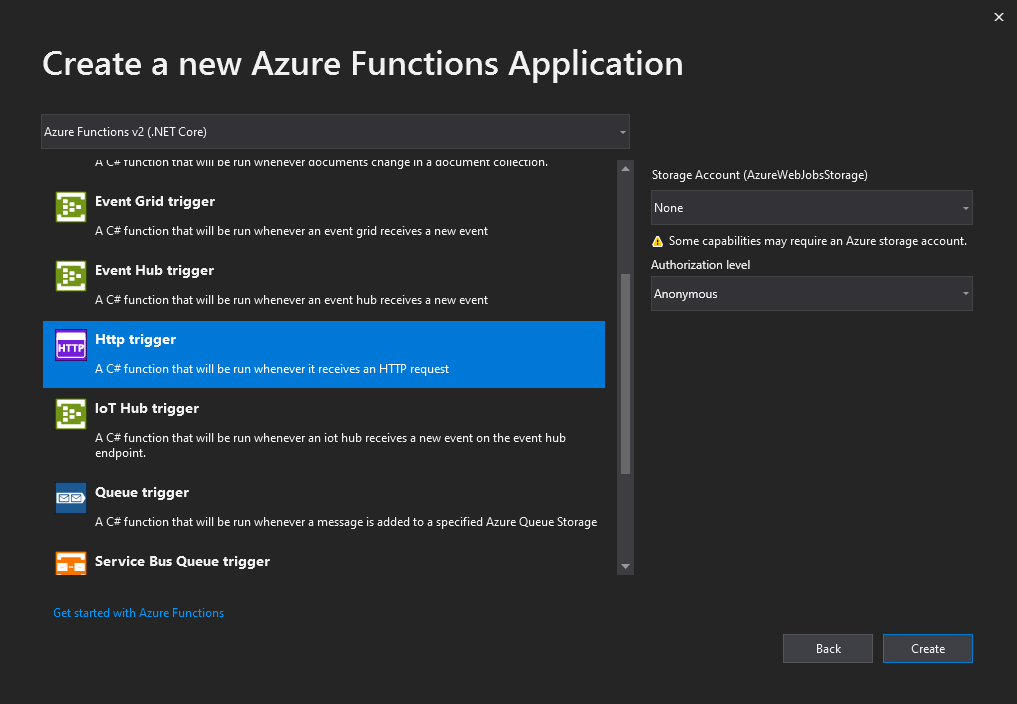
First let’s open Visual Studio and create a new Azure Function :
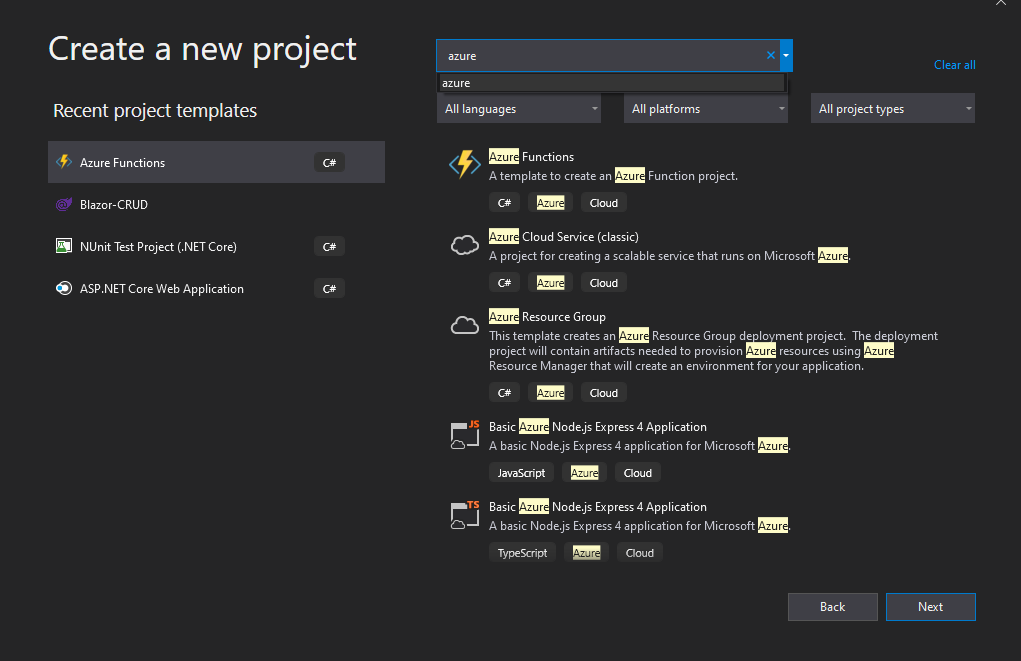
Since we are not going to use blob storage this time let’s keep it to None and for authorization for the demo we use anonymous .
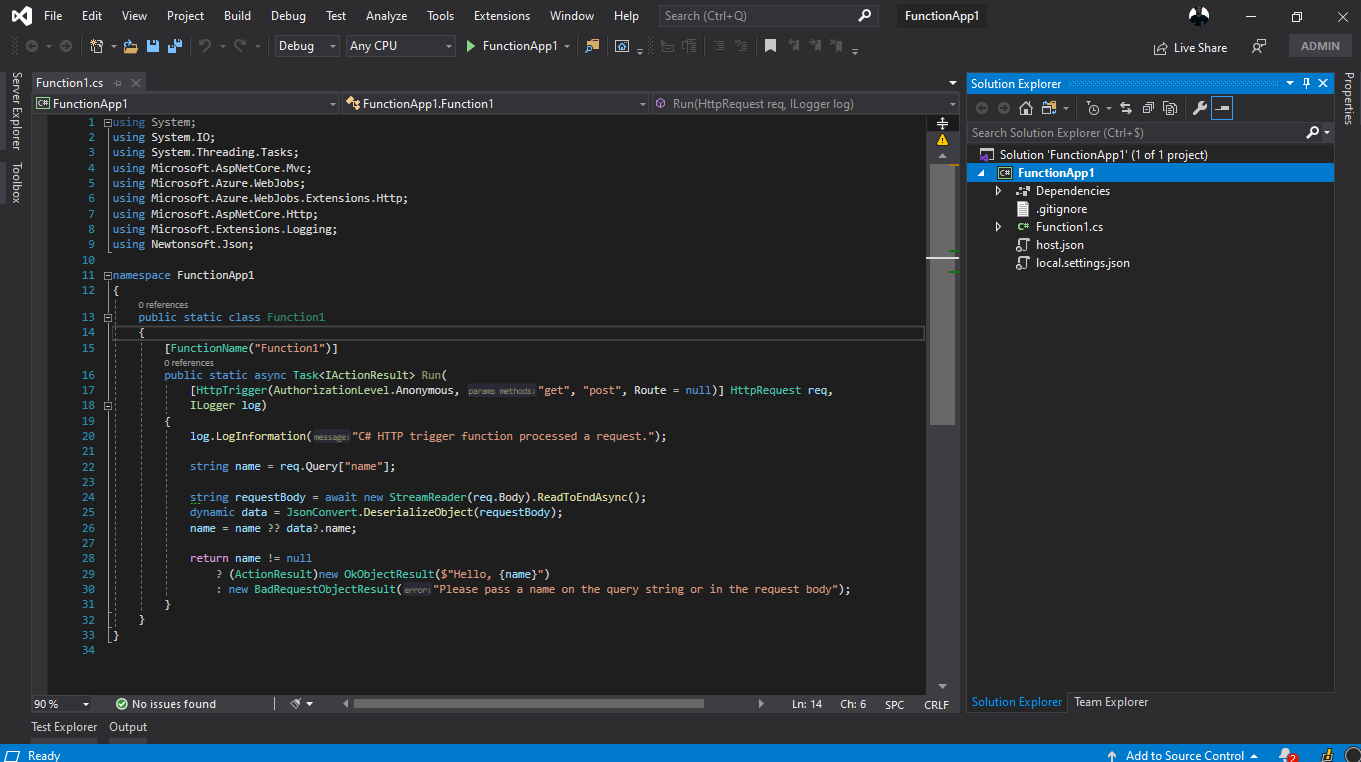
Now we have our function ready to publish .

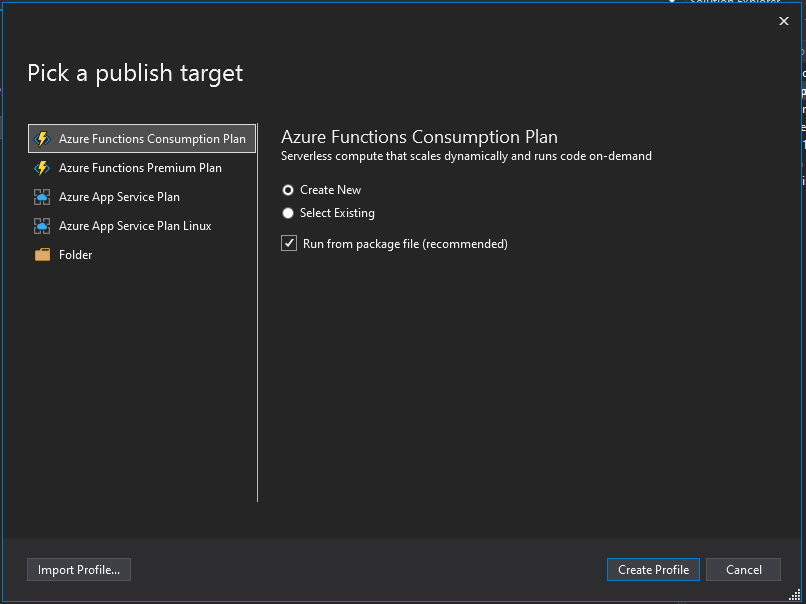
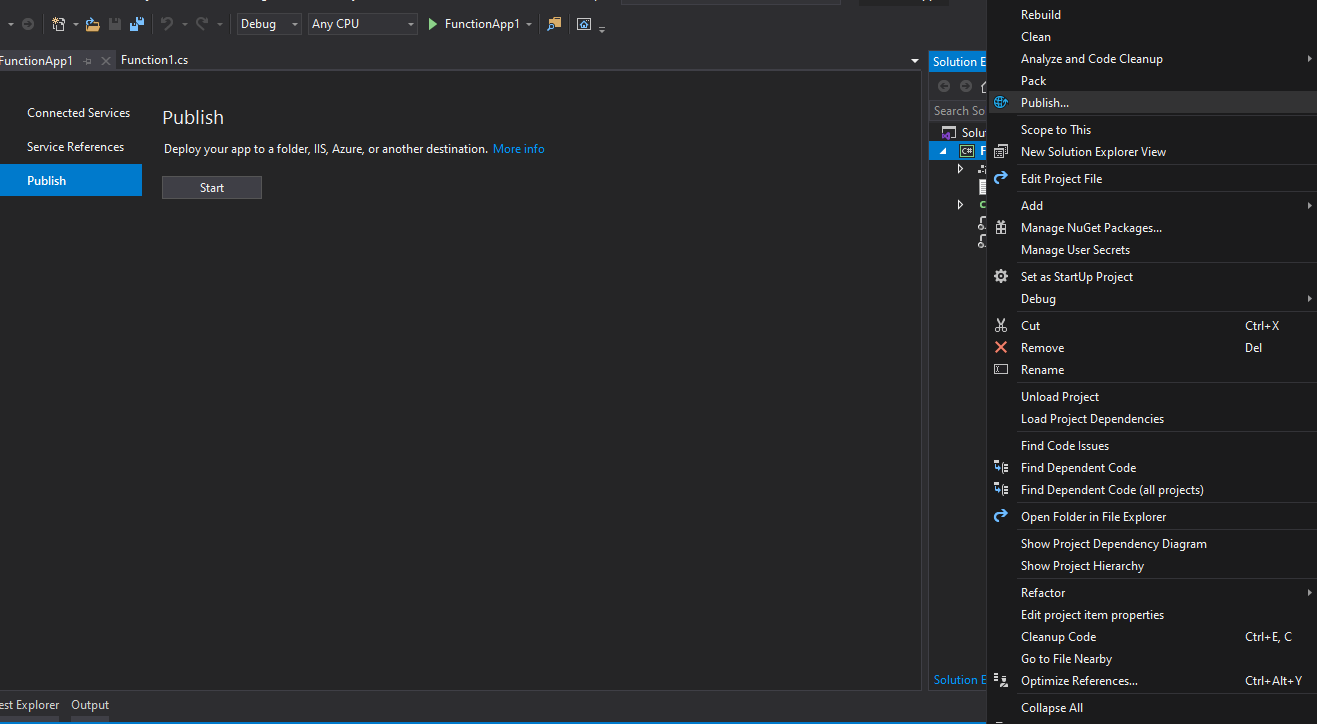
Now clique right on the project and choose publish as in picture below :
We are going to create a new Azure function in our azure account , as a plan I’m going to choose consumption plan which is billed based on per-second resource consumption and executions. Consumption plan pricing includes a monthly free grant of 1 million requests and 400,000 GB-s of resource consumption per month per subscription in pay-as-you-go pricing across all function apps in that subscription .

Azure Functions Premium plan provides enhanced performance and is billed on a per second basis based on the number of vCPU-s and GB-s your Premium Functions consume. Customers can also run Functions within their App Service plan at regular App Service plan rates.

More details from here : https://azure.microsoft.com/en-us/pricing/details/functions/

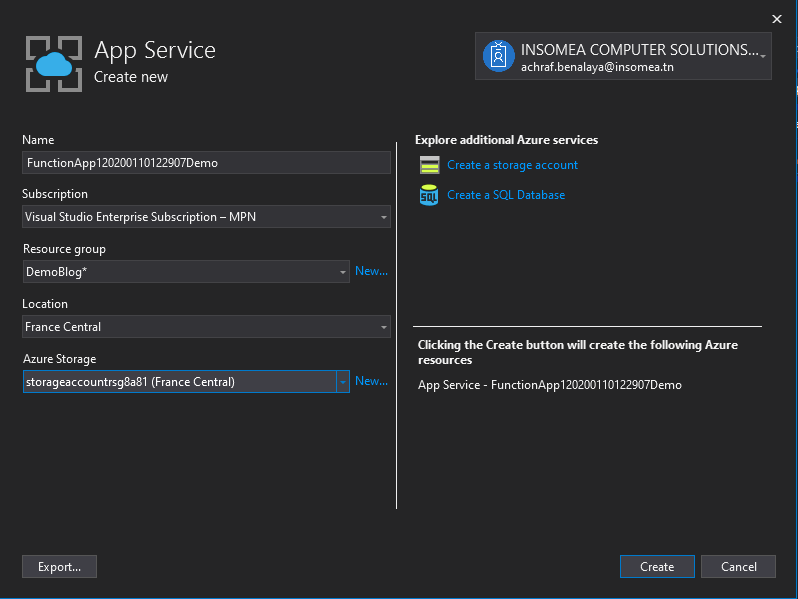
Now let’s create our profile :
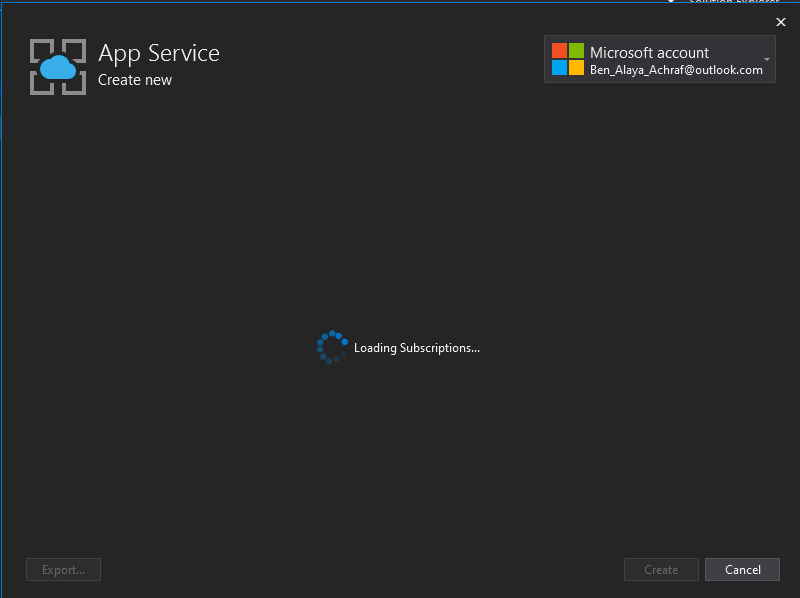
Now we need to choose a subscription ,a resource groupe , in my case i created a new one .
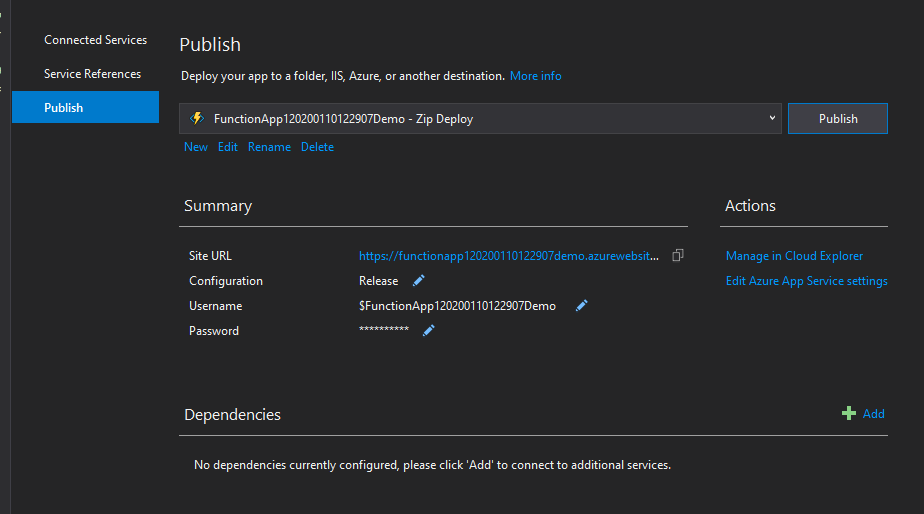
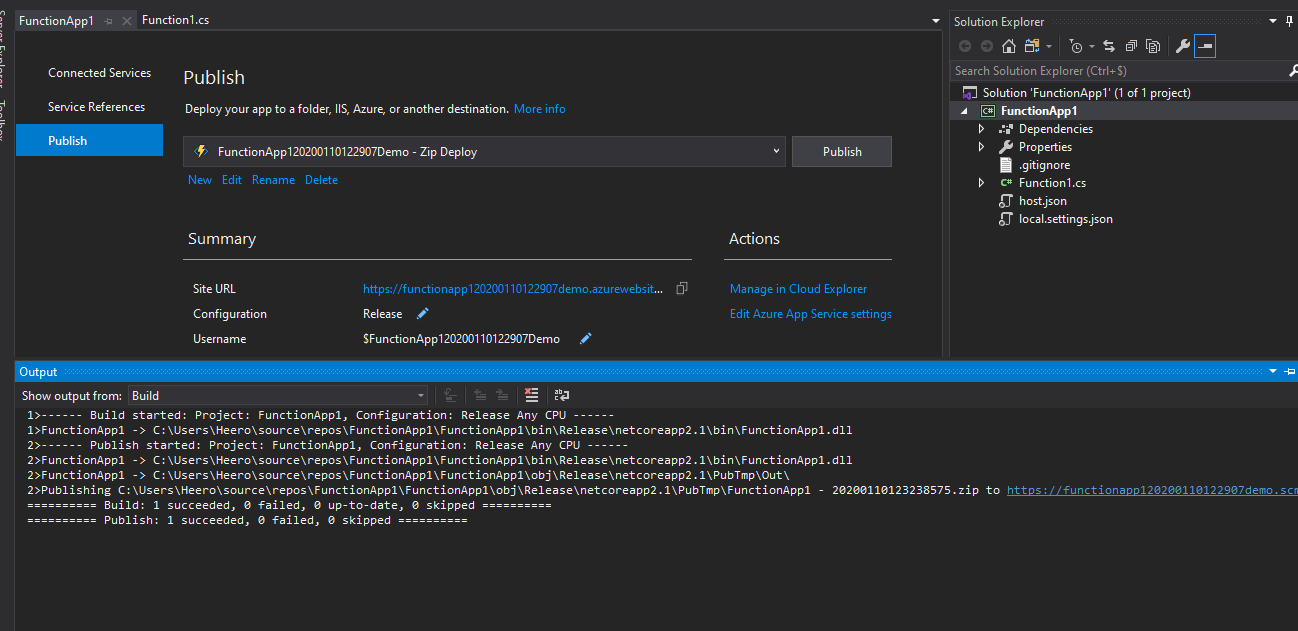
And now we have successfully published our function
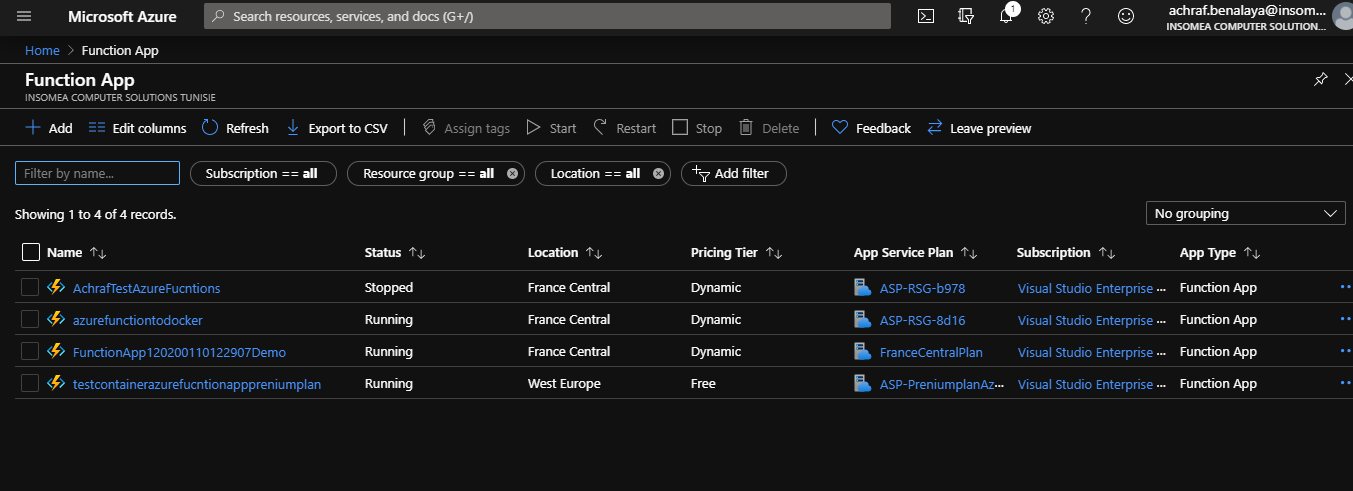
If we open our azure portal now , and look for azure functions ,we can see that we have a new Function added :
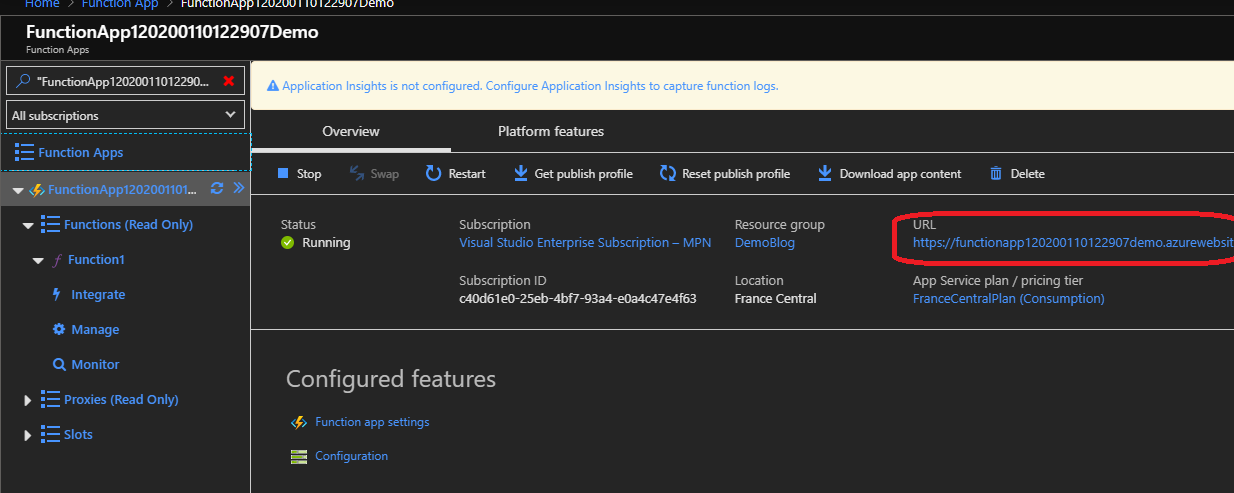
If we clique the URL , we have our function up and running
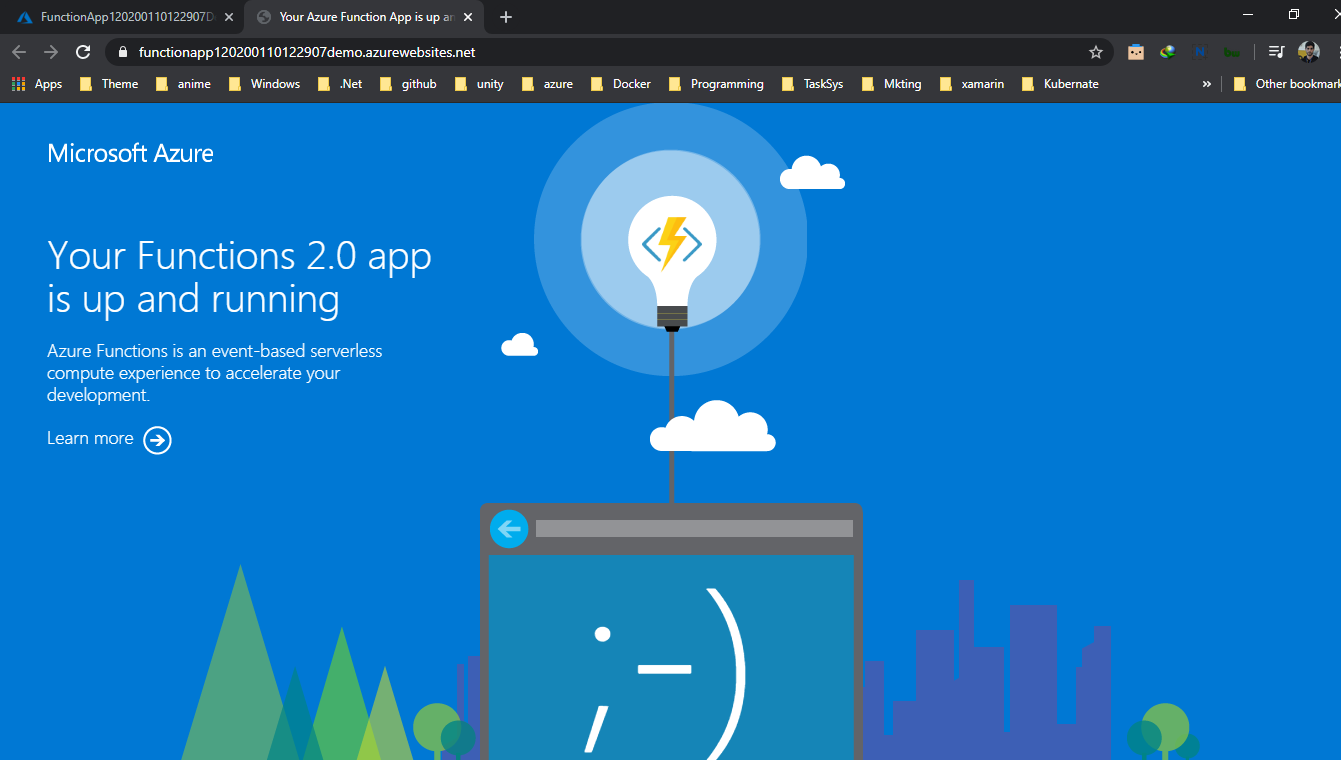
Now let’s explore our function ,by clicking on it
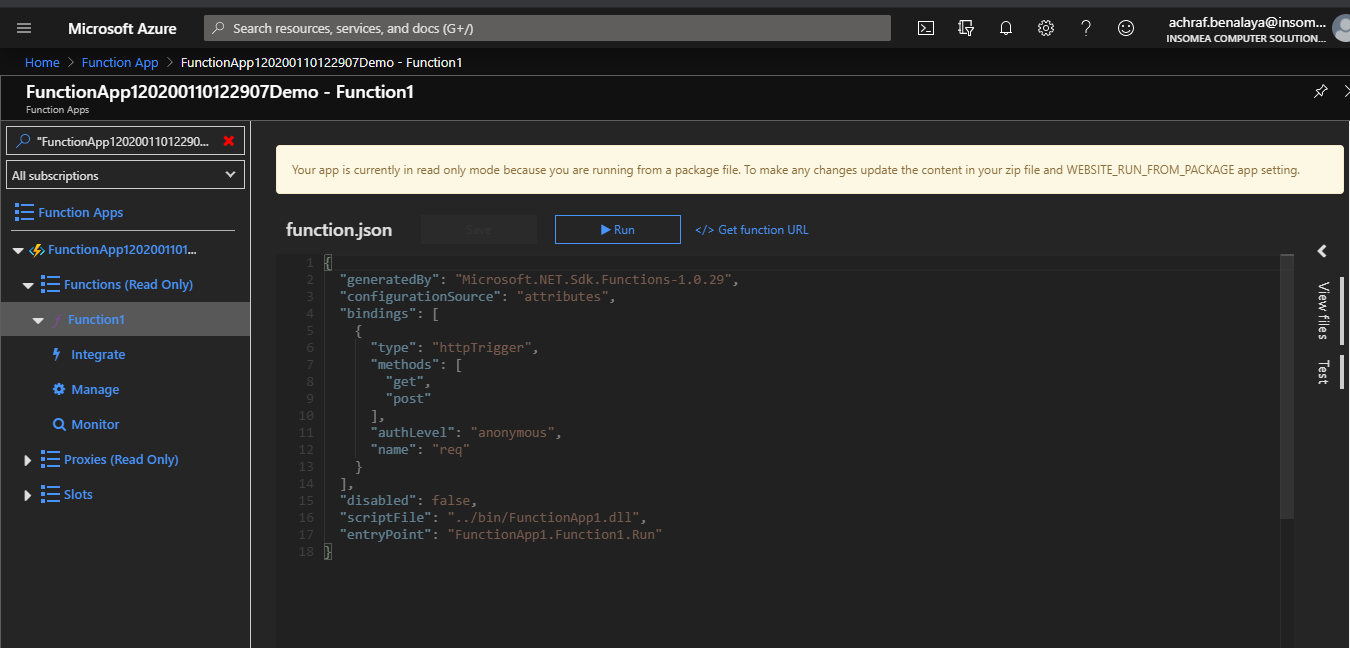
Now one of the coolest things I find here is we can test the function directly from the portal , if you are familiar with Postman it’s just like it .
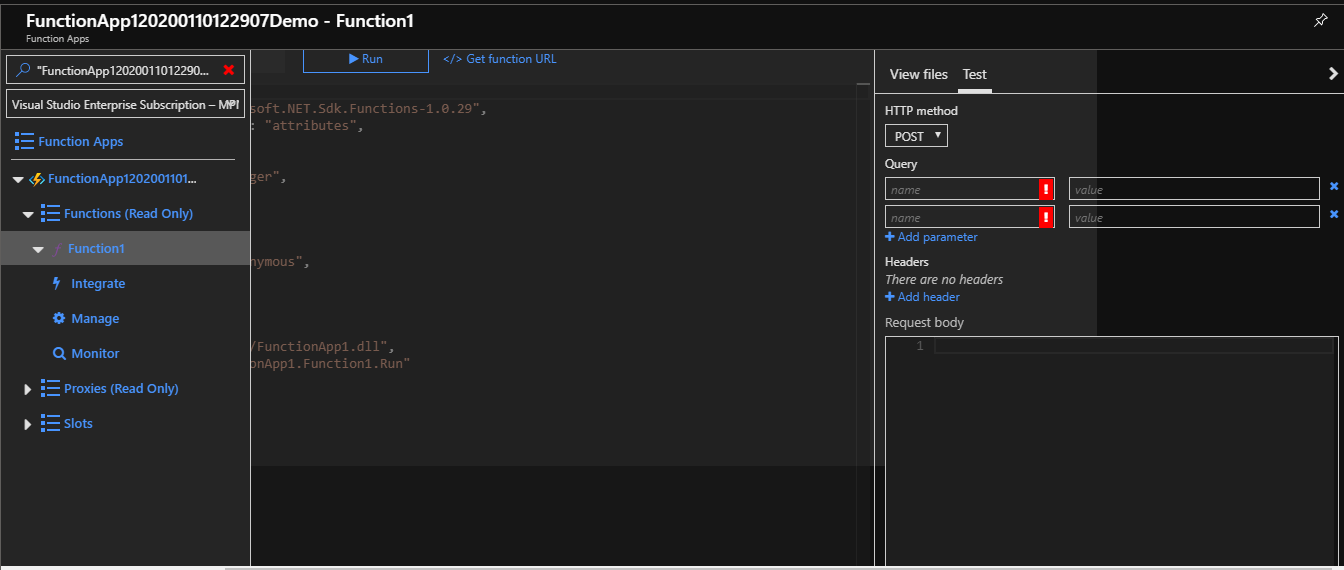
But , as usual I prefer using the generated link :
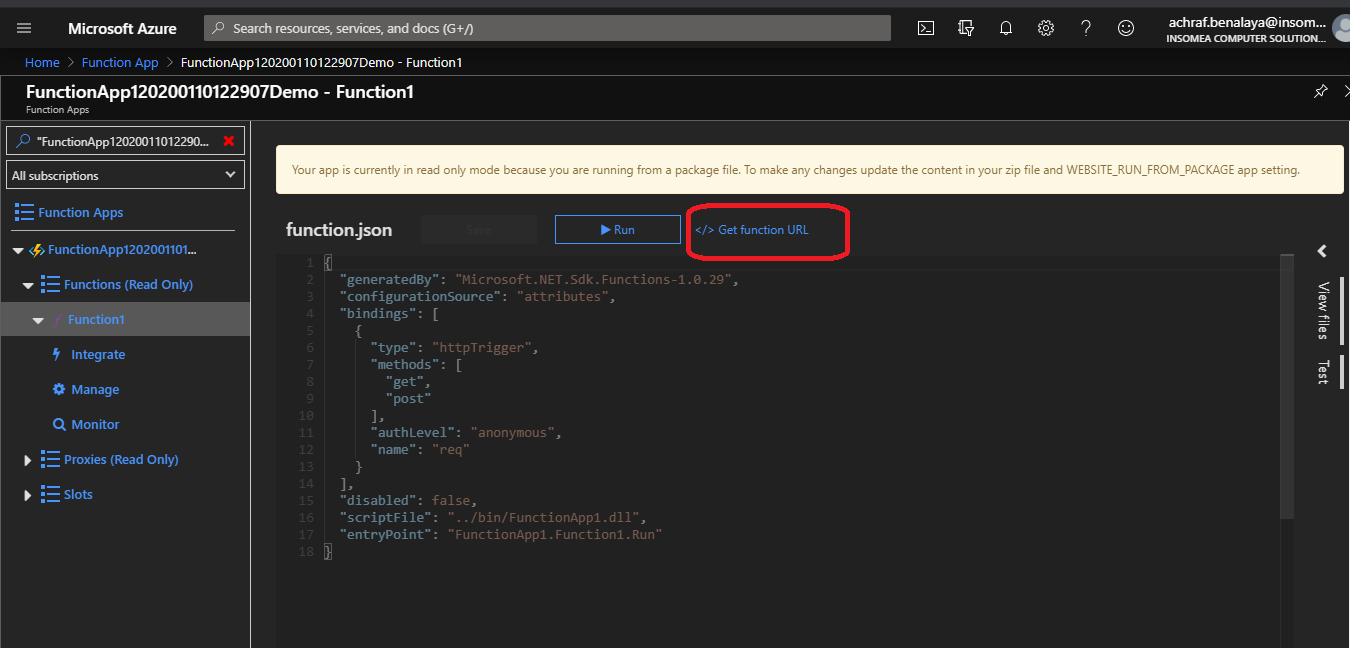
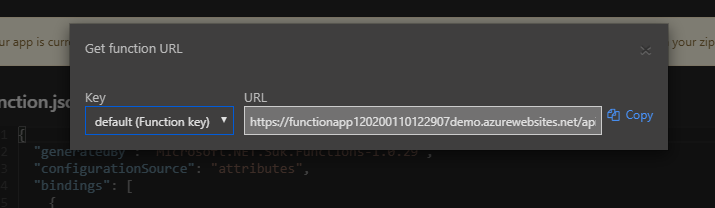
now don’t forget to add the parameters :
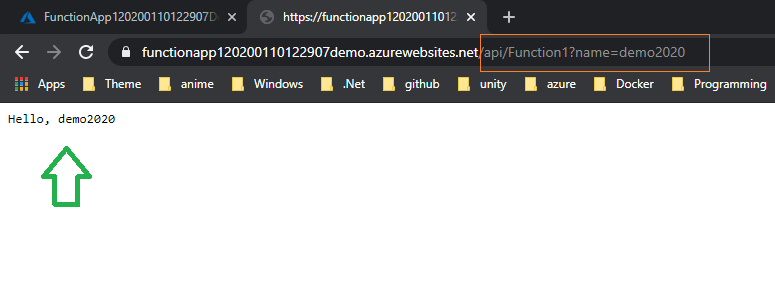
And like that , now we have our function ready for work .

Now , what if we want to use continuous integration and continuous deployment (CI/CD) or maybe write Unit test ?

How can we do that ? and is there more than one way to do it ?

I guess now you know the content of our next blog post .

Happy azure day =)

 

ShareTweet
Previous Post

Azure Function to Upload Data to Azure Blob

Next Post

Deploy azure function from Docker Hub CI/CD

Related Posts

Azure

My Fourth Year as a Microsoft MVP: From Student Partner to AI Empowerment

July 19, 2026
6
AI

I tried GitHub Spec Kit : An Honest Field Report

June 28, 2026
470
AI

I Let Five-AI Agents Build My App. Here’s Exactly What Happened.

May 20, 2026
76
AI

GitHub Copilot Skills for Terraform: 5 On-Demand AI Assistants for Azure Container Apps

March 29, 2026
268
Azure

From Terraform to Autopilot: AI-Assisted Automation for Azure Container Apps  Part 3

March 29, 2026
1.6k
Azure

Building a Microservices Architecture on Azure Container Apps with Terraform Part 2

March 1, 2026
241
Next Post
Deploy azure function from Docker Hub CI/CD

Deploy azure function from Docker Hub CI/CD

Leave a Reply Cancel reply

Your email address will not be published. Required fields are marked *

Terraform

Certifications

Microsoft certified trainer (MCT)

Recommended

Azure Static Web App Service

Azure Static Web App Service

September 27, 2020
1.2k
My Trip to Turkey

My Trip to Turkey

February 5, 2022
407

From Manual Terraform to AI-Assisted DevOps: Building an Azure Container Platform (Part 1)

December 23, 2025
333
My book collection for 2020-2021

My book collection for 2020-2021

December 28, 2020
649

How To host an Angular app on Azure

September 29, 2020
1.6k
Tools I use with Database

Tools I use with Database

November 7, 2021
873
Facebook Twitter LinkedIn Youtube

My Fourth Year as a Microsoft MVP: From Student Partner to AI Empowerment

July 19, 2026

I tried GitHub Spec Kit : An Honest Field Report

June 28, 2026

I Let Five-AI Agents Build My App. Here’s Exactly What Happened.

May 20, 2026

Categories

  • AI (6)
  • Apps (1)
  • Azure (71)
  • blazor (2)
  • Blog (100)
  • c# (7)
  • Cloud (72)
  • copilot (4)
  • Courses (4)
  • Dapr (4)
  • docker (4)
  • Games (1)
  • General Tips & Fix (1)
  • Home (1)
  • Kubernetes Service (AKS) (1)
  • Motivation (3)
  • motivation (2)
  • News (9)
  • Resume (1)
  • sql (4)
  • Terrafrom (2)
  • Tricks, Tips and Fixes (4)
  • xamarin (5)
No Result
View All Result
  • Home
  • News
  • Blog
    • blazor
    • c#
    • Cloud
      • Azure
    • docker
    • sql
    • xamarin
    • Dapr
    • Tricks, Tips and Fixes
    • General Tips & Fix
  • AI
  • Cloud
  • Motivation
  • Courses
  • About
    • Resume
    • Privacy Policy

ADVERTISEMENT