Teaching Copilot to Know Your Stack: GitHub Copilot Skills for Azure Container Apps Part 4
In Part 3, we gave GitHub Copilot a project identity. Custom instructions told it about our Zero Trust rules. Path-specific instructions scoped guidance to the right files. Prompt files turned repetitive tasks into one-click workflows. Custom agents gave it specialized personas with scoped tools.
But all of that is always on. Every Copilot conversation loads the custom instructions, whether you’re asking about networking or asking it to write a commit message. That’s fine when the instructions are small. It becomes a problem when your project grows when you accumulate rules for security reviews, cost analysis, state management, scaling, and image lifecycle. You can’t fit everything into `copilot-instructions.md` without turning it into a sprawling document that confuses the model as much as it helps it.
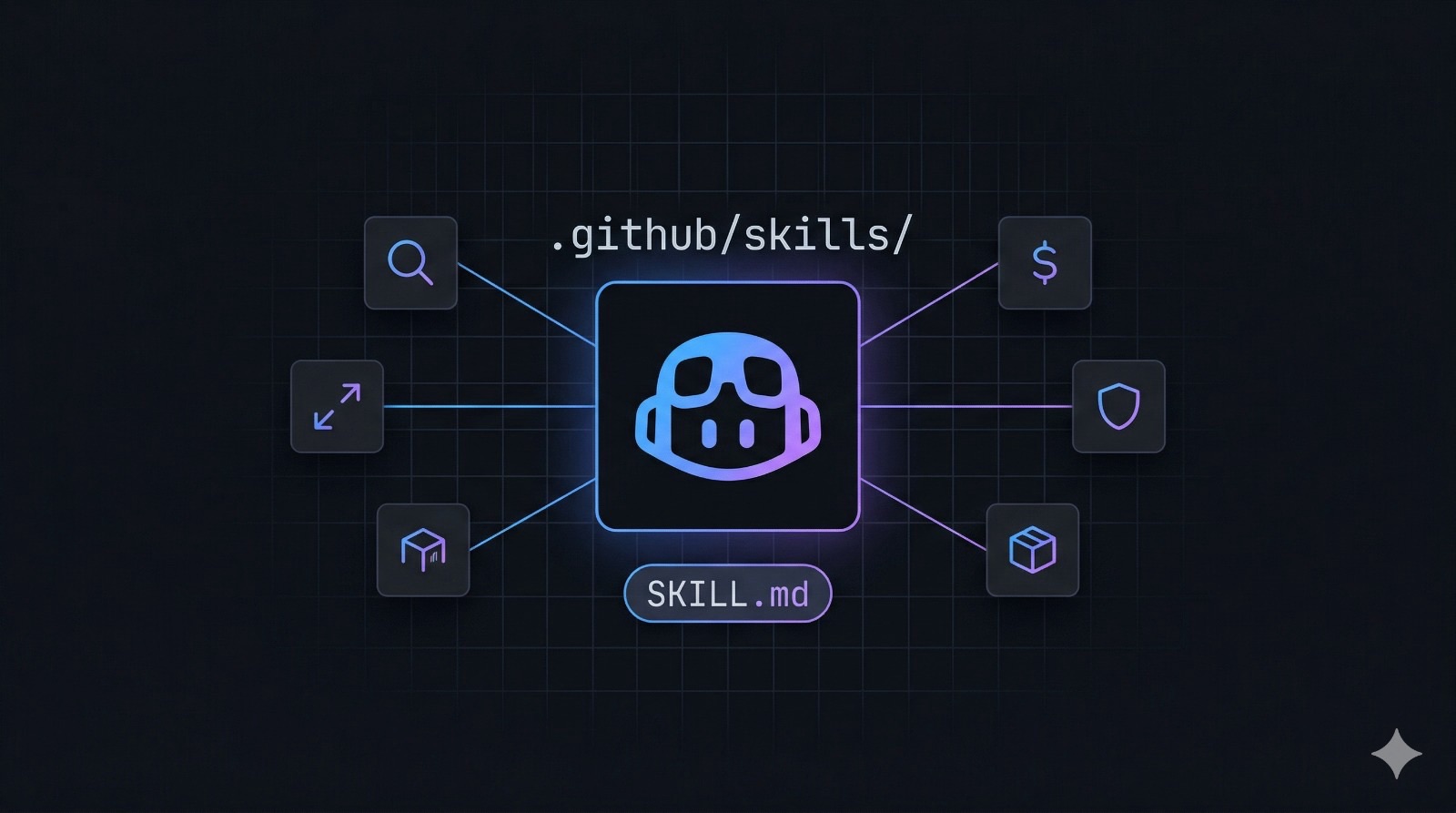
Skills solve this. They’re the on-demand counterpart to always-on instructions. A skill is a folder with a `SKILL.md` file that Copilot loads *only when your prompt is relevant to it. Ask about drift? The drift detector skill loads. Ask about costs? The cost estimator loads. Ask about a new Container App resource? Copilot uses the base instructions and leaves the cost estimator alone.
This is Part 4, and it’s entirely about skills.
What skills actually are
The mental model is straightforward. Custom instructions are rules you want Copilot to follow always your naming conventions, your provider version, your security posture. Skills are specialized knowledge packages you want available on demand the deep expertise for a specific task that would clutter the always-on context if it were always loaded.
Mechanically, a skill is a directory under `.github/skills/` with a single required file: `SKILL.md`. That file has two parts: a YAML frontmatter block and a Markdown body.
```
.github/
└── skills/
    └── my-skill-name/
        └── SKILL.md
```

The frontmatter defines the skill's identity:

```yaml
---
name: my-skill-name
description: >
  One sentence summary.

  When to use this skill:
  - "trigger phrase 1"
  - "trigger phrase 2"
---
```
The description field is doing a lot of work here. Copilot reads it to decide whether this skill is relevant to your current prompt. The “when to use” section isn’t documentation for humans it’s signal for the model. Write it as a list of phrases someone would actually type when they need this skill. The more specific and realistic, the better the match.
The Markdown body is the skill’s actual content: instructions, workflows, code examples, lookup tables, templates. Whatever Copilot needs to execute the task well.
Skills vs. the other tools in the toolbox
After three parts covering custom instructions, path-specific instructions, prompt files, and agents, it’s worth being precise about where skills fit.
| Tool | Location | When loaded | Best for |
|---|---|---|---|
| Custom instructions | .github/copilot-instructions.md | Every conversation | Universal rules (naming, security, provider version) |
| Path-specific instructions | .github/instructions/*.instructions.md | When editing matching files | File-type-specific guidance |
| Prompt files | .github/prompts/*.prompt.md | When you select them manually | Repeatable multi-step tasks |
| Custom agents | .github/agents/*.agent.md | When you select the agent | Specialized personas with tool access |
| Skills | .github/skills/*/SKILL.md | When prompt matches description | Deep expertise for specific tasks |
The key distinction from agents: agents are personas you *select*. Skills are knowledge packages that Copilot *discovers*. When you assign an issue to the coding agent with the implementation agent selected, that’s an explicit choice. When you ask “how much does this architecture cost?” and the cost estimator skill loads, that’s automatic.
Building five skills for this project
Let’s build a complete skill library for the Azure Container Apps infrastructure we’ve been assembling across Parts 1, 2, and 3. Each skill addresses a real operational need.
Skill 1 Terraform Drift Detector :
Create `.github/skills/terraform-drift-detector/SKILL.md`:
---
name: terraform-drift-detector
description: >
  Detect, explain, and resolve Terraform state drift in this Azure Container Apps project.

  When to use this skill:
  - "Why does my terraform plan show unexpected changes?"
  - "Something changed in Azure but I didn't touch the Terraform"
  - "Detect drift", "check for drift", "why is plan not clean?"
  - "Azure Portal changes not reflected in state"
  - After manual changes via Azure CLI or Portal that weren't tracked in state
---

# Terraform Drift Detector

You are an expert in Terraform state management for Azure Container Apps infrastructure.
Your job is to detect, explain, and resolve drift between the Terraform state and actual Azure resources.

## What Is Drift

Drift happens when real Azure resources no longer match what Terraform's state file says they should be.
Common causes in this project:
- Manual changes via Azure Portal or CLI (e.g., scaling a Container App by hand)
- Azure auto-healing or auto-upgrading resources (e.g., Container App revision updates)
- Expiry or auto-rotation of identities
- Out-of-band certificate renewals on Application Gateway

## Detection Workflow

1. Read the current state using `#readFile` on `terraform.tfstate`
2. Run `terraform plan -detailed-exitcode`
   - Exit code 0 = no drift
   - Exit code 2 = drift found
3. Categorize each change by severity:
   - `external_enabled` flip on any Container App → 🔴 CRITICAL
   - `admin_enabled` change on ACR → 🔴 CRITICAL
   - Scaling values (min/max replicas) → 🟡 MEDIUM
   - Tag or label drifts → 🟢 LOW

## Reconciliation Rules

- NEVER auto-run `terraform apply` — show the plan first, ask for confirmation
- For CRITICAL: surface clearly, explain what probably happened, recommend remediation steps
- For LOW/MEDIUM: propose `terraform apply -target=<resource>` with the specific address

## Output Format

Present findings as a Drift Report with Critical Changes and Safe-to-Reconcile sections.
Why this skill matters. In a real team, someone will make a manual change in the Azure Portal usually in an incident, under pressure. Terraform will then want to revert it. The worst case is a terraform apply that flips external_enabled from true to false on the frontend, taking it offline. The drift detector loads the right context to catch that before it happens.
Skill 2 ACA Scaling Advisor
Create `.github/skills/aca-scaling-advisor/SKILL.md`:
---
name: aca-scaling-advisor
description: >
  Design, review, and optimize scaling rules for Azure Container Apps in this project.

  When to use this skill:
  - "Add scaling rules to my Container App"
  - "How should I scale the backend API?"
  - "My app is slow under load", "optimize scaling", "autoscale"
  - "Add KEDA scaler", "HTTP scaling", "queue-based scaling"
  - "min_replicas is too high", "I'm paying too much for idle containers"
---

# ACA Scaling Advisor

You are an expert in Azure Container Apps autoscaling using KEDA.
Architecture context: frontend is external-facing via Application Gateway,
backend is internal-only. Both run on Consumption workload profile.

## Key Rules

**Frontend** — safe for `min_replicas = 0`. Application Gateway handles the queue.
Use HTTP scaler with `concurrentRequests = 100`.

**Backend** — keep `min_replicas = 1` unless the frontend uses async calls.
Scale-to-zero on a synchronously-called backend means the frontend sees cold start latency.
Use CPU scaler at 70% utilization.

## HTTP Scaling (Frontend)

\`\`\`hcl
template {
  min_replicas = 0
  max_replicas = 10

  custom_scale_rule {
    name             = "http-scaler"
    custom_rule_type = "http"
    metadata = {
      concurrentRequests = "100"
    }
  }
}
\`\`\`

## CPU Scaling (Backend)

\`\`\`hcl
template {
  min_replicas = 1
  max_replicas = 5

  custom_scale_rule {
    name             = "cpu-scaler"
    custom_rule_type = "cpu"
    metadata = {
      type  = "Utilization"
      value = "70"
    }
  }
}
\`\`\`

Always validate: no conflicting scale rules, `max_replicas` fits your cost ceiling,
and `min_replicas ≥ 1` on synchronously-called services.
The scaling advisor encodes the architectural constraints of this specific project. A generic Copilot response might suggest min_replicas = 0 on the backend because it reduces costs. That’s correct in isolation. It’s wrong here because the frontend calls the backend synchronously a cold start becomes frontend latency. The skill carries that context.
Skill 3 Azure Cost Estimator
Create .github/skills/azure-cost-estimator/SKILL.md:
---
name: azure-cost-estimator
description: >
  Estimate and break down monthly Azure costs for this Container Apps infrastructure.

  When to use this skill:
  - "How much does this architecture cost?"
  - "Estimate my Azure bill", "cost breakdown", "cost estimate"
  - "Is the Application Gateway expensive?"
  - "I want to reduce costs", "cheapest way to run this"
  - "What's the difference in cost between Consumption and Dedicated?"
  - Before adding new resources — estimate the cost impact first
---

# Azure Cost Estimator

Pricing reference for West Europe (adjust by ~10-20% for other regions):

| Resource | Config | Est. Monthly Cost |
|---|---|---|
| Application Gateway | Standard_v2 | ~$185 |
| Container Registry | Standard SKU | ~$20 |
| Container Apps (per app) | 0.25 vCPU, 0.5GiB, 8h/day | ~$15 |
| Public IP | Standard | ~$4 |
| Private DNS Zone | 1 zone | ~$1 |
| Log Analytics | <5GB/day ingestion | ~$0 |

**Important:** Application Gateway accounts for ~75% of the bill at this scale.
It costs ~$185/month regardless of traffic volume.

When asked for an estimate:
1. Read `.tf` files to identify all provisioned resources
2. Ask for region if not West Europe
3. Present the cost table with actual resource configs from Terraform
4. Highlight the biggest cost driver
5. Suggest one or two project-specific optimizations
6. Always point to the Azure Pricing Calculator for accurate quotes
Every project eventually hits the “what’s this costing us?” question. Without the skill, Copilot would give a generic answer that doesn’t account for the Application Gateway’s flat cost, the specific SKUs we chose, or the Consumption billing model. The skill bakes those numbers in.
Skill 4 Security Posture Reviewer
Create .github/skills/security-posture-reviewer/SKILL.md:
---
name: security-posture-reviewer
description: >
  Review the Zero Trust security posture of this Azure Container Apps Terraform project.

  When to use this skill:
  - "Review my security", "security audit", "security check"
  - "Is this Zero Trust?", "what are my security gaps?"
  - "Check my NSG rules", "are my secrets safe?"
  - Before a production deployment or architecture review
  - After adding new resources — verify they follow the project's security rules
---

# Security Posture Reviewer

Review the project's Zero Trust compliance against this checklist.
Output ✅ or ❌ for each item after reading the Terraform files.

### Networking
- [ ] `internal_load_balancer_enabled = true` on Container App Environment
- [ ] ACA subnet CIDR is minimum `/23`
- [ ] NSG includes `GatewayManager` and `AzureLoadBalancer` inbound rules on AppGW subnet
- [ ] No `0.0.0.0/0` allow-all inbound rules (except those required by Azure platform)
- [ ] Private DNS zone linked to VNet with `registration_enabled = false`

### Container Apps
- [ ] Backend uses `external_enabled = false` (not just an NSG rule)
- [ ] No plaintext secrets in environment variables

### Container Registry
- [ ] `admin_enabled = false`
- [ ] SKU is Standard or Premium

### Identity and Credentials
- [ ] System-assigned Managed Identity enabled on both Container Apps
- [ ] `AcrPull` role assigned for each Container App's principal_id
- [ ] GitHub Actions uses workload identity federation (not service principal secrets)
- [ ] `terraform.tfstate` is NOT committed to the repository

## Common Gaps to Flag

**State file in repo**  contains resource IDs and output values. Add to `.gitignore` and use Azure Storage backend.

**Missing WAF policy**  Standard_v2 supports WAF but it's not enabled by default. Without it, no OWASP rule set protects the frontend from injection attacks.

**Log Analytics retention at default 30 days**  insufficient for incident response. Set `retention_in_days = 90`.
This skill is the automated version of the senior engineer’s pre-deployment checklist. It doesn’t just know generic security best practices it knows this project’s security model and can check it against the actual Terraform files.
Skill 5 ACR Image Manager
Create .github/skills/acr-image-manager/SKILL.md:
---
name: acr-image-manager
description: >
  Manage container images in Azure Container Registry — tagging strategy, image promotion,
  cleanup, and updating Container App image references in Terraform.

  When to use this skill:
  - "Tag my image for production", "promote image from staging to prod"
  - "Clean up old images in ACR", "delete untagged manifests"
  - "Update the Container App to use image version X"
  - "How should I tag my Docker images?", "image versioning strategy"
  - "Purge images older than 30 days", "reduce ACR storage costs"
---

# ACR Image Manager

ACR was created with `admin_enabled = false`. All operations use RBAC, not admin credentials.
Always authenticate with `az acr login --name <acr_name>` using the user's Azure CLI identity.

## Tagging Strategy

Use semantic versioning with a build reference. Never rely on `latest` alone for production.

\`\`\`
<acr_login_server>/<service>:<semver>-<short_sha>
\`\`\`

Examples:
- `acrab3k2m.azurecr.io/frontend:1.2.0-a3f9c1e`  ← immutable, for rollback
- `acrab3k2m.azurecr.io/frontend:latest`           ← mutable, for convenience

## Image Promotion (Staging → Production)

Use `az acr import` to copy between registries without pulling locally:

\`\`\`bash
az acr import \
  --name <prod_acr_name> \
  --source <staging_acr_login_server>/backend:1.2.0-a3f9c1e \
  --image backend:prod-1.2.0 \
  --registry <staging_acr_resource_id>
\`\`\`

## Updating Container App Image in Terraform

After promoting, update the `image` field in `aca.tf`:

\`\`\`hcl
image = "${azurerm_container_registry.acr.login_server}/backend:1.2.0-a3f9c1e"
\`\`\`

Then run `terraform plan` — only the image tag should change. Azure Container Apps creates a new revision automatically.

## Cleanup

Always dry-run before executing:

\`\`\`bash
az acr run \
  --registry <acr_name> \
  --cmd "acr purge --filter 'backend:.*' --untagged --ago 30d --dry-run" \
  /dev/null
\`\`\`

Remove `--dry-run` once the output looks right.
The image management skill is particularly useful after the GitHub Actions CI/CD pipeline from Part 3 starts pushing images. Without it, Copilot doesn’t know whether to suggest az acr commands, direct Docker commands, or Terraform changes. The skill normalizes that: use RBAC auth, use the ACR import command for promotion, update the specific image field in aca.tf.
How Copilot discovers and loads skills
You don’t invoke skills manually. When you type a prompt in Copilot Chat (or an issue body that gets routed to the coding agent), Copilot reads the description field of every skill in .github/skills/ and decides which ones are relevant. If the match is strong, the SKILL.md content is injected into the context for that conversation.
This means the description field is actually the most important part of the file. Write it as if you’re writing the queries that should trigger it. The more concrete and realistic, the better.
A few things that improve match quality:
Be specific about trigger phrases. “Detect drift”, “check for drift”, and “why is plan not clean?” are all things a real engineer would type. Generic phrases like “help with infrastructure” are too broad — they’d match every skill and load them all.
Include anti-examples if needed. If two skills might get confused (say, cost estimator and scaling advisor both relate to “spending less money”), mention what each one doesn’t cover in the description.
Keep the body focused. A skill loaded into context costs tokens. If the body is bloated with tangential information, the model’s attention dilutes. Each skill should do one thing well.
Your repo structure after Part 4
.github/
├── copilot-instructions.md            # Always-on: naming, provider, Zero Trust rules
├── agents/
│   ├── terraform-aca-implement.agent.md  # Specialist: writes and validates Terraform
│   └── terraform-aca-planning.agent.md   # Specialist: designs changes, creates plans
├── instructions/
│   ├── networking.instructions.md     # File-scoped: vnet.tf, nsg.tf, dns.tf
│   └── containers.instructions.md    # File-scoped: aca.tf, acr.tf
├── prompts/
│   ├── new-container-app.prompt.md   # One-click: scaffold a new Container App
│   └── terraform-review.prompt.md   # One-click: security review checklist
├── skills/
│   ├── terraform-drift-detector/
│   │   └── SKILL.md                 # On-demand: detect and resolve state drift
│   ├── aca-scaling-advisor/
│   │   └── SKILL.md                 # On-demand: design KEDA scaling rules
│   ├── azure-cost-estimator/
│   │   └── SKILL.md                 # On-demand: monthly cost breakdown
│   ├── security-posture-reviewer/
│   │   └── SKILL.md                 # On-demand: Zero Trust compliance check
│   └── acr-image-manager/
│       └── SKILL.md                 # On-demand: image tagging, promotion, cleanup
└── workflows/
    └── terraform.yml                # CI/CD: plan on PR, apply on merge
Each layer serves a different purpose. Always-on instructions keep every AI interaction aligned with your project’s conventions. Path-specific instructions add depth when editing specific file types. Prompt files make repetitive tasks one-click. Agents give you specialized personas. Skills provide deep expertise exactly when and only when you need it.
Where to find more skills
GitHub maintains the github/awesome-copilot repository with 247+ community-contributed skills. For Azure infrastructure work specifically, look at azure-architecture-autopilot (design and deploy Azure resources from natural language) and create-specification (generate structured spec files optimized for AI consumption). These are production-grade starting points — fork them, trim what you don’t need, add your project’s specific context.
One thing worth knowing: skills in awesome-copilot are organized by domain rather than by project. They’re designed to be generally useful, not specifically aware of your infrastructure. The value you get from writing your own is exactly that specificity — the drift detector that knows the difference between a MEDIUM and CRITICAL change for this architecture, the scaling advisor that knows this backend is called synchronously, the cost estimator that already has these SKUs and region prices loaded.
The full picture
Three parts built an infrastructure platform. Part 4 built the AI layer on top of it.
Start with what’s always relevant: custom instructions for project-wide rules that apply to every conversation. Add path-specific instructions for file types that have specialized concerns. Create prompt files for the tasks your team runs repeatedly. Build agents for the workflows that need specialized personas and specific tool access. Then write skills for the deep expertise that’s only needed sometimes state drift, scaling design, cost analysis, security review, image lifecycle.
None of these are about making Copilot smarter in the abstract. They’re about making it useful for your specific project, in the way that a colleague who’s worked on the codebase for six months is useful not because they know more general programming knowledge than a new hire, but because they know what matters here.
This is Part 4 of a series on building production-ready microservices on Azure Container Apps with Terraform and GitHub Copilot. Part1 covers the secure networking baseline. Part 2 covers ACR, internal backend, and frontend-backend wiring. Part 3 covers AI-assisted automation, Managed Identities, and CI/CD.